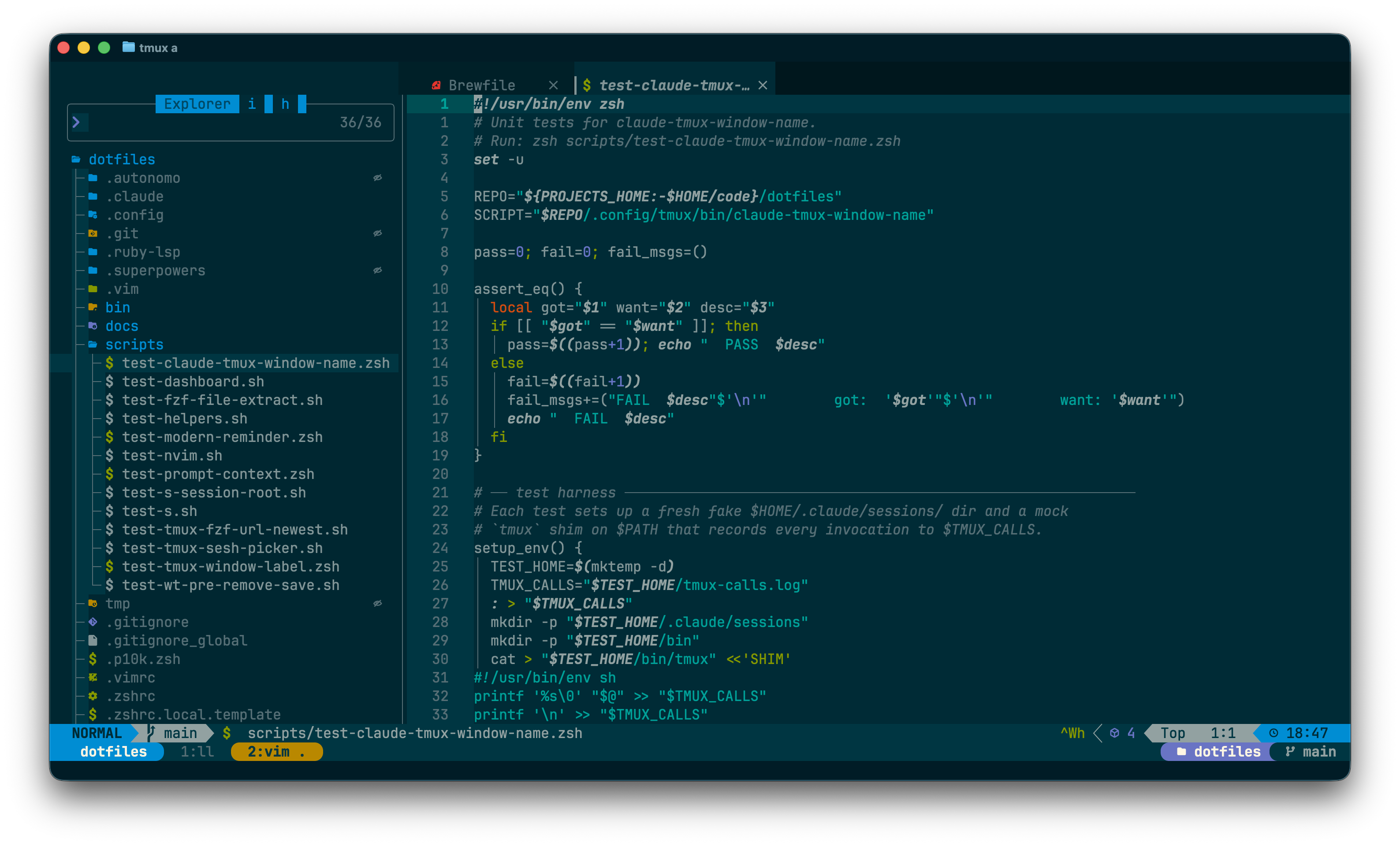
Treesitter highlighting is also on for Python and SQL (no LSP).
First-run checklist
Open nvim: nvim
Lazy will install plugins on first start; wait for the splash to settle.
Run :checkhealth — fix any red items (clipboard, node, ripgrep).
Run :Mason — confirm everything from mason-lock.json is installed.
Open a file in a project to trigger LSP attach; check :LspInfo.
House rules (per CLAUDE.md)
Alt mappings via left Option. Ghostty's macos-option-as-alt = left routes left-Option to Alt; right-Option still produces Polish diacritics via the OS layout. LazyVim's <A-j> / <A-k> (move-line) are kept.
Theme follows theme-set (Solarized Dark default); font is Ghostty-level via font-set (JetBrains Mono default).
Lockfile committed:mason-lock.json only — lazy-lock.json is gitignored (:Lazy restore for single-machine reproducibility).
nvimpager ≠ this config. The shell's global $PAGER is nvimpager, which loads its own ~/.config/nvimpager/ (reusing only snacks.nvim for scroll). CLI git still pages via delta.
.claude/worktrees/ is hidden from pickers and built-in completion.
Snacks excludes it from files, grep, explorer, and recent (see lua/plugins/snacks.lua);
wildignore in lua/config/options.lua drops it from :e/glob expansion.
If ␣␣ or ␣/ can't find a file under there, that's why.
Vim essentials / the always-there ones
Modes
EscorCtrl-[
→ normal
i / a
insert before / after cursor
I / A
insert at first non-blank / end of line
o / O
open line below / above
v / V / Ctrl-v
visual char / line / block
R
replace mode
:
command-line
Files & buffers
:e <path>
edit file
:w / :wa
write / write all
:q / :qa
quit / quit all
:wq / ZZ
save & quit
Ctrl-^
switch to alternate buffer
Shift-h / Shift-l
prev / next buffer (LazyVim)
␣bd
delete buffer (keep window)
Edit / undo
u / Ctrl-r
undo / redo
.
repeat last change
ymotion / yy
yank / yank line
dmotion / dd
delete
cmotion / cc
change
p / P
paste after / before
>> / <<
indent / dedent line
=motion
auto-indent range
Clipboard = system (unnamed): y/p already use the OS clipboard.
Search / replace
/pat / ?pat
forward / backward search
n / N
next / previous match
* / #
word under cursor → next / prev
:%s/foo/bar/g
replace in file
:s/foo/bar/g
replace in line / selection
␣sr
project search/replace (grug-far)
smartcase is on: lowercase = case-insensitive, mixed = sensitive.
Windows & splits
Ctrl-ws / v
split horizontal / vertical
Ctrl-wh/j/k/l
move between splits
Ctrl-wq
close window
Ctrl-w=
equalize sizes
Ctrl-Up/Down
resize height (LazyVim)
Ctrl-Left/Right
resize width (LazyVim)
New splits open right / below (your splitright/splitbelow).
Marks, registers, macros
ma / 'a
set mark / jump to it
"aymotion
yank into register a
"ap
paste from register a
qa ... q
record macro to a
@a / @@
play macro / replay last
Leader cheatsheet / ␣ = Space
Press ␣ and wait — which-key shows you the live menu.
Below is the most-used subset.
Top-level most used
␣␣
find file (smart picker)
␣/
grep across project (live)
␣,
switch buffer
␣:
command history
␣e
file explorer (Snacks)
␣E
explorer at cwd
␣w
write file
␣qq
quit all
␣| / ␣-
vsplit / split
␣l
Lazy plugin UI
␣f — find
ff
files (root)
fF
files (cwd)
fb
buffers
fr
recent files
fg
git files
fc
config files
fp
projects
␣s — search
sg
grep (live, project)
sw
grep word under cursor
sb
search current buffer
ss
document symbols
sS
workspace symbols
sd
diagnostics (buffer)
sD
diagnostics (workspace)
sk
keymaps
sh
help tags
sr
grug-far replace
s"
registers
␣b — buffers / ␣w — windows
bd
delete buffer
bo
delete other buffers
bp
toggle pin
bP
delete non-pinned
bb
switch to other buffer
wd
delete window
wm
maximize window toggle
␣u — UI toggles
uw
word wrap
us
spell check
ul
line numbers
uL
relative numbers
ud
diagnostics
uf
auto-format (buffer)
uF
auto-format (global)
uh
inlay hints
uc
conceal level
uT
treesitter
␣o — obsidian vault buffers only
oo
open note in Obsidian app
of
find note (quick switch)
os
search notes (grep)
ob
backlinks
ot
tags picker
on
new note
gf
follow [[wikilink]] (native, no map)
Only in ~/code/notes buffers — plain markdown elsewhere never loads obsidian.nvim.
␣x — trouble / diagnostics
xx
document diagnostics
xX
workspace diagnostics
xL
location list
xQ
quickfix list
xt
TODO / FIX / NOTE comments
]d / [d
next / prev diagnostic
Picker (Snacks) / inside the prompt
Inside any picker
Ctrl-j / Ctrl-k
next / prev item
Enter
open in current window
Ctrl-x
open in horizontal split
Ctrl-v
open in vertical split
Ctrl-t
open in new tab
Tab
multi-select
Ctrl-q
send to quickfix
Esc / Ctrl-c
close
?
show all picker keymaps
Tip
For project-wide grep, prefer ␣/ over ␣sg — both are live grep, but the first is the "fast lane" alias.
Start typing inside a picker; results filter as you type. Use ! at the start to negate a term. Glob-ish path filters work in file pickers ('src, !test).
LSP & code / ␣c
LSPs are off by default. Run :LspOn <name> once per session to enable a server (e.g. :LspOn vtsls); every matching buffer in that session auto-attaches from then on. Mason packages stay installed — opt-in is instant.
For jsonls / yamlls: the schemastore.org catalog injection is also off by default. Inline $schema URLs still resolve; the full ~700-pattern catalog stays out of settings.{json,yaml}.schemas so no HTTP fetches fan out on every recognized file. Restore via a per-project .nvim.lua when catalog validation is genuinely wanted.
Navigate code
gd
go to definition
gD
go to declaration
gr
references
gI
implementation
gy
type definition
K
hover docs
gK
signature help
Edit code
␣ca
code action
␣cr
rename symbol
␣cf
format buffer / range
␣cd
line diagnostics
␣cl
LSP info
␣cm
Mason
␣cs
symbols outline
Completion (blink.cmp)
Ctrl-Space
trigger completion
Tab / Shift-Tab
next / prev item, snippet jump
Enter
accept
Ctrl-e
cancel / hide menu
Ctrl-d / Ctrl-f
scroll docs up / down
<A-...> bindings reach nvim via left Option (right Option types Polish).
Git / gitsigns + snacks
Hunks & blame
]h / [h
next / prev hunk
␣ghs
stage hunk
␣ghr
reset hunk
␣ghp
preview hunk
␣ghb
blame line (full)
␣ghd
diff this
␣ghu
undo stage hunk
Pickers & UI
␣gg
Lazygit (full TUI)
␣gb
git branches picker
␣gl
git log
␣gL
git log (file)
␣gs
git status picker
␣gd
diff (current file)
␣gf
file history
CLI git uses delta as pager (Solarized Dark theme).
Tests (neotest) / rspec, vitest, jest
␣t menu
tt
run file
tT
run all (test files in cwd)
tr
run nearest
tl
run last
ts
toggle summary panel
to
show output (split)
tO
show output (panel)
tS
stop
tw
toggle watch
Adapter is auto-picked by filetype: *_spec.rb → rspec, *.test.ts → vitest, *.test.js → jest.
Movement & Flash / jump anywhere
Within line / file
w / b
next / prev word start
e / ge
next / prev word end
0 / ^ / $
line start / first non-blank / end
fx / Fx
forward / back to char x
tx / Tx
till char x
; / ,
repeat f/t forward / back
gg / G
top / bottom of file
{ / }
prev / next paragraph
Ctrl-d / Ctrl-u
half page down / up
zz / zt / zb
center / top / bottom cursor
Flash (jump labels)
s
Flash jump (type 2 chars, then label)
S
Flash treesitter
r(op-pending)
Flash remote (operate at distance)
R(op-pending/visual)
Flash treesitter search
In normal mode, s is overridden by Flash. Use cl instead of substitute-char.
Jumps & tags
Ctrl-o / Ctrl-i
jump back / forward
'' / ``
last jump position
:jumps
jump list
:changes
change list
Text objects / v/d/c/y + object
Built-in & mini.ai
iw / aw
inner / a word
is / as
inner / a sentence
ip / ap
inner / a paragraph
i" / a"
inside / around quotes (also ', `)
i( / a(
inside / around parens (also {}, [], <>)
it / at
inside / around HTML tag
Treesitter text objects
af / if
a / inner function
ac / ic
a / inner class
]f / [f
next / prev function
]c / [c
next / prev class
Examples: vaf selects a function, cif changes its body, daf deletes the function.
Examples
ci"
change inside quotes
da{
delete a brace block
yi(
yank inside parens
vap
visual-select a paragraph
gcip
comment-toggle a paragraph (Comment / ts-comments)
Mason / Lazy / managing plugins & LSPs
Lazy commands
:Lazy
open Lazy UI
:Lazy sync
install + update + clean
:Lazy update
update plugins
:Lazy restore
match lazy-lock.json
:Lazy profile
startup profiling
Update workflow: :Lazy update → test. lazy-lock.json is gitignored (not committed); use :Lazy restore to pin back to the last-known-good state on this machine.
Mason commands
:Mason
open Mason UI
:MasonInstall <pkg>
install package
:MasonUpdate
update registry
:MasonLock
snapshot current versions → mason-lock.json
:MasonLockUpdate
upgrade to latest then snapshot
:MasonLockRestore
install pinned versions
On a new machine: nvim --headless "+MasonLockRestore" +qa to bootstrap LSPs.
LazyVim extras & news
:LazyExtras
browse / toggle extras (langs, etc.)
:LazyHealth
LazyVim-specific health check
:Tutor
disabled here
:checkhealth
run all health checks
Editor options / what's set in options.lua
-- UInumbertrue-- absolute line numbersrelativenumbertrue-- relative line numbers (hybrid)cursorlinetruebelloffall-- bells silenced (matches dotfiles)-- Searchignorecasetruesmartcasetrue-- mixed-case = case-sensitive-- Indent — 2 spaces, expandtabexpandtabtruetabstop2shiftwidth2softtabstop2-- Editingscrolloff4-- keep 4 lines above/below cursorsidescrolloff8splitrighttrue-- :vsplit goes rightsplitbelowtrue-- :split goes belowmouseaclipboardunnamed-- y/p use the system clipboardundofiletrue-- persistent undo across restarts-- Colortermguicolorstruebackgrounddark-- follows active theme (dark for Solarized Dark default)
Removed defaults
gzip, tarPlugin, tohtml, tutor, zipPlugin are disabled in lazy.lua.