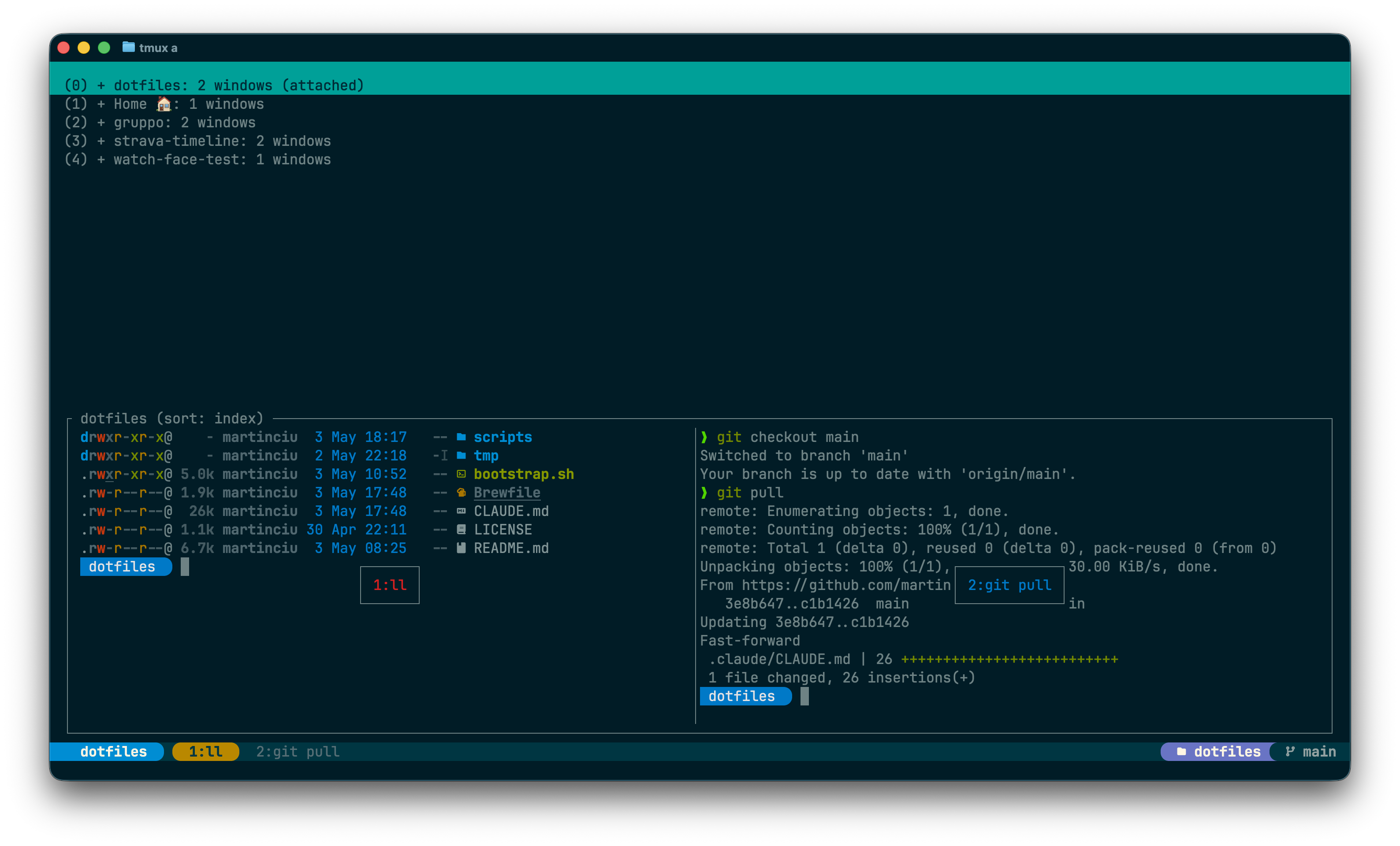
tmux — Getting Started & Cheatsheet
Prefix =
C-a · hand-rolled status bar (Solarized default, theme-aware) · vim-style pane nav
C-a · hand-rolled status bar (Solarized default, theme-aware) · vim-style pane nav
| Prefix | C-a (screen-style) |
Why not C-Space | conflicts with macOS input-source switching |
| Pane nav | C-a + h/j/k/l |
| Splits | C-a + | / - (cwd inherited) |
| Indexing | windows + panes start at 1, auto-renumber |
| Mouse | on (URLs: ⇧⌘ click) |
| History | 50,000 lines |
| Bells | silenced (bell-action/visual-bell/monitor-bell off) |
| TPM plugins | tpm, tmux-sensible, tmux-sessionx, tmux-fingers |
tmux | start a new session |
tmux new -s <name> | named session |
tmux a / tmux a -t <name> | attach to last / named session |
tmux ls | list sessions |
| C-a d | detach (session keeps running) |
| C-a r | reload ~/.config/tmux/tmux.conf |
| C-a t | tmux-sessionx picker popup (tmux / tmuxinator) — live pane preview for the highlighted session |
s [<project>] [<name>] | create-or-attach worktree+session — inside tmux 1 arg = worktree name in current project, outside tmux 1 arg = project, 0 args = fzf picker |
| C-a T | clock-mode (swapped from default t) |
| C-a P | open current branch's PR in browser via gh pr view --web (silent when no PR — counterpart to the orange status-bar PR pin) |
| ⇧⌘ click | Claude Code file links → routes via macOS file-type defaults (OSC 8 passthrough enabled in tmux.conf via terminal-features hyperlinks) |
| C-a ? | list all keybindings |
| C-a : | command prompt |
C-a, not C-Space.bind -n M-* is safe with Ghostty's macos-option-as-alt = left, but pane nav uses <prefix> h/j/k/l.git rev-parse --git-dir vs --git-common-dir. Don't replace with git worktree list parsing.| C-a d | detach |
| C-a s | session picker (tree) |
| C-a $ | rename current session |
| C-a Tab / S-Tab | next / prev session (repeatable; defaults (/) unbound) |
| C-a Space | switch to last session (default L unbound) |
Closing the last pane of a session (exit, Ctrl-D) switches to the most-recently-used other session via detach-on-destroy off. Detaches only when no other session exists.
tmux new -s work | create "work" |
tmux a -t work | attach to "work" |
tmux kill-session -t work | kill "work" |
tmux kill-server | kill all sessions |
C-at opens
tmux-sessionx,
a TPM-loaded session picker. Sources: existing tmux sessions plus
tmuxinator projects (@sessionx-tmuxinator-mode 'on').
Zoxide is intentionally not a picker source
(@sessionx-zoxide-mode 'off'). The current session is
hidden from the list (@sessionx-filter-current 'true').
Highlighting an entry shows live pane content in the preview pane
(tmux capture-pane -ep on the session's active pane).
The plugin claims the binding via @sessionx-bind 't' —
no manual bind-key exists for this picker. Geometry is
pinned at 70% × 70% (@sessionx-window-width /
@sessionx-window-height), the shared anchor with the URL
and file pickers.
Sesh stays installed for bin/s (the worktree+session
command), which still reads sesh list -c -j as its
project registry. The shared .config/sesh/sesh.toml +
machine-local ~/.config/sesh/sesh.local.toml split is
unchanged. _ZO_EXCLUDE_DIRS excludes (~/,
~/Downloads/*, ~/.config/*,
~/Library/*) remain for z-cd hygiene.
| C-a c | create window — opens at session root (@session_root, set by s) when present, else inherits pane cwd |
| C-a & | kill window (confirm) |
| C-a w | window picker (tree) |
| C-a < / > | swap window left / right (repeatable; -d keeps focus on the moved window — its index changes, not yours) |
:rename-window <name> | force a name (no keybind — automatic-rename would clobber it anyway) |
| C-a . / , | next / prev window (repeatable; defaults n/p and tmux-sensible's C-n/C-p unbound) |
| C-a 1…9 | window 1–9 by number |
| C-a l | last window (but l is also pane-right here — see "Quirks") |
| C-a f | find by name (search) |
Quirk: we rebind C-al to pane-right (vim style). To hop between windows, use C-a,/. or the picker.
| C-a h / j / k / l | left / down / up / right |
| C-a ; | last (most-recent) pane |
| C-a x | kill pane (confirm) |
| C-a q | show pane numbers (then number to jump) |
| C-a z | zoom toggle (full-screen pane) |
| C-a ! | break pane → its own window |
| C-a { / } | swap pane left / right in layout |
| C-a H / J / K / L | resize 5 cells (when bound by tmux-sensible) |
| C-a Space | cycle preset layouts |
| C-a M-1 … M-5 | specific layouts (M = Alt; avoid here) |
:resize-pane -D 5 | resize from prompt (D/U/L/R) |
:select-layout main-vertical | force a layout by name |
| C-a | | vertical split (right) — keeps cwd |
| C-a - | horizontal split (below) — keeps cwd |
Defaults " and % are unbound — use |/-.
| C-a [ | enter copy mode |
| q / Esc | exit copy mode |
| C-a ] | paste tmux buffer |
| C-a = | choose buffer to paste |
| h j k l | move cursor |
| w / b | word forward / back |
| 0 / $ | line start / end |
| g / G | top / bottom |
| / / ? | search forward / back |
| n / N | next / prev match |
| Space | begin selection |
| Enter | copy selection (to tmux buffer) |
| v / V | char / line selection (vi-mode) |
Mouse drag also selects. macOS clipboard is wired through tmux's default OSC 52 path; if your terminal supports it (Ghostty does) Enter reaches the system clipboard.
Morantron/tmux-fingers overlays vimium-style letter
hints on every visible match in the active pane. Press the hint
letter; the match lands on the macOS clipboard via pbcopy.
Built-in patterns cover paths, URLs, SHAs, IPs, UUIDs, k8s names,
git status / diff hunks; custom patterns
add worktree-… branch names and #N
PR/issue refs.
| C-a F | copy-mode: hint → letter → clipboard |
| C-a J | jump-mode: hint → letter → cursor at match (inside copy-mode) |
| a…z | pick a hint (single letter copies / jumps) |
| Tab | multi-select — pick several matches before confirming |
| ⇧ letter | paste match into the current pane instead of clipboard |
| Ctrl letter | open match (URL → browser, path → Finder via macOS default) |
Hint colors use ANSI palette refs (colour9/colour13/colour14) so they auto-adapt across themes — no theme-set handoff needed. First-run: after prefix + I, the wizard appears — pick "Build from source" (crystal required).
Bottom bar, bg=base02 / fg=base0. Three segments:
nf-fa-globe when any attached tmux client is SSH- or mosh-rooted — drives tmux-ssh-indicator), followed by the Claude-usage cluster: violet 7d chip (🤖 U+1F916 + nf-md-speedometer $xx/h cost-throughput + nf-oct-calendar, compact <pct>% that auto-expands to add • <reset> at pct ≥ 80) fused with the yellow 5h chip (nf-fa-hourglass-half, always shows <pct>% • <reset>). On overreach (projection.<window>.will_overreach == true from ccpulse), the affected chip inserts nf-fa-fire + → <projected_pct>% after the <pct>%; the 7d chip auto-expands on overreach even at low pct. Whole cluster hides cleanly when ccpulse is missing or any of the four core fields are null; missing projection field renders the cluster without overreach decoration (graceful degrade). Drives tmux-claude-usage.base01 on base02; active = green-on-base3 chip with rounded powerline caps.tmux-status-right → tmux-pr-detect + tmux-git-status.theme-set)These are the Solarized Dark default values. The bar sources the active palette (~/.config/themes/current.tmux → @color_*), so colors follow theme-set; the accent roles (session=blue, active window=green, worktree=yellow, main=violet, PR=orange, selection=cyan) map per-theme.
Selection / message style uses cyan-on-base03; pane border switches base01 → blue when active.
~/.config/tmux/bin/tmux-status-right | orchestrator for the right-side status segment — composes PR pin (when present) + git chip flush-right |
~/.config/tmux/bin/tmux-pr-detect | stale-while-revalidate file cache around gh pr view (TTL 60s) — echoes PR number for current branch or empty |
~/.config/tmux/bin/tmux-git-status | git/worktree status segment, colors as args |
~/.config/tmux/bin/tmux-ssh-indicator | walks each attached client's ps ancestry; prints sshd/sshd-session/mosh-server — prepended inside the session chip |
~/.config/tmux/bin/tmux-claude-usage | parses ccpulse status --json and emits the violet 7d + yellow 5h fused chip pair on the left of the status bar; atomic hide when ccpulse is missing or fields are null |
scripts/test-helpers.sh | smoke-tests for the helpers |
scripts/test-tmux-pr-status.sh | smoke tests for tmux-pr-detect + tmux-status-right (uses a PATH-shimmed gh) |
scripts/test-tmux-claude-usage.sh | smoke tests for tmux-claude-usage (PATH-shimmed ccpulse stub; covers hide cases, formatter, threshold boundaries) |
Worktree detection uses git rev-parse --git-dir vs --git-common-dir so it works for .claude/worktrees/*, worktrunk paths, and sibling worktrees alike.
:new-window -c "#{pane_current_path}" | new window in same dir |
:swap-window -t :+1 | move window right |
:movew -r | renumber windows now |
:setw synchronize-panes | type to all panes (toggle) |
:clear-history | clear scrollback |
:source-file ~/.config/tmux/tmux.conf | reload (also C-ar) |
:show -g | grep … | inspect global options |
:list-keys | all bindings |
tmux send-keys -t mywin "ls" Enter | type into a target pane |
tmux display-message -p '#S' | print current session name |
tmux info | grep … | debug runtime state |
~/.config/tmux/tmux.conf# Prefix set -g prefix C-a # C-Space conflicts with macOS input-source switching # Terminal — truecolor set -as terminal-features ",xterm-ghostty:RGB" set -as terminal-features ",xterm-256color:RGB" # Sane defaults set -g mouse on set -g base-index 1 set -g renumber-windows on set -g history-limit 50000 set -g escape-time 10 # vim-friendly set -g focus-events on set -g window-size latest # each window sizes to its most-recently-active client (tmux >= 3.1 default) # Bells silenced everywhere set -g bell-action none set -g visual-bell off set -g monitor-bell off
| C-ar | reload config inside running tmux |
scripts/test-helpers.sh | smoke-tests for status helpers |
scripts/test-tmux-ssh-indicator.sh | SSH-indicator tests (mocks tmux+ps via PATH shim, asserts globe glyph emission) |